
App help
Hoop Lab App FAQ
Booking basics
Where can I book and manage classes?
Note that you can book & manage classes on either desktop through https://momence.com/sign-in or the mobile app. We recommend using the mobile app.
Here’s a little tutorial of common actions
To filter our class schedule by age & level, you’ll simply filter by tags
On the mobile app, when viewing the schedule, use the ‘filter’ function in the bottom right, click on tags and select the relevant tags for the ages & levels you’re looking for.
To see & manage your existing classes
On the mobile app, click on the Hoop Lab icon in the top left of the home screen. You’ll see bookings there. On desktop, you’ll go to Children > My Children’s Events.
To see how many credits you have left
On the mobile app, click on the Hoop Lab icon in the top left of the home screen. Then go to Memberships. On desktop, you’ll go to Memberships.
Existing memberships and packages will show up under ‘Active’. You’ll see how many credits you have left and when they expire.
You can also easily purchase member add-on classes or non-member class packages at any time.
To update your payment method or
On the mobile app, go to Account > Payment Methods > Add New Method
On desktop, log in at https://momence.com/sign-in; Then go to My Account > Acount Settings > Update Card on File
To update your payment to ACH direct debit and bypass transaction fees
Sign in on DESKTOP (not mobile / app): https://momence.com/sign-in
Then go to My Account > Acount Settings
Add Direct Debit and remove your credit card
Having trouble booking a class?
Check 2 things:
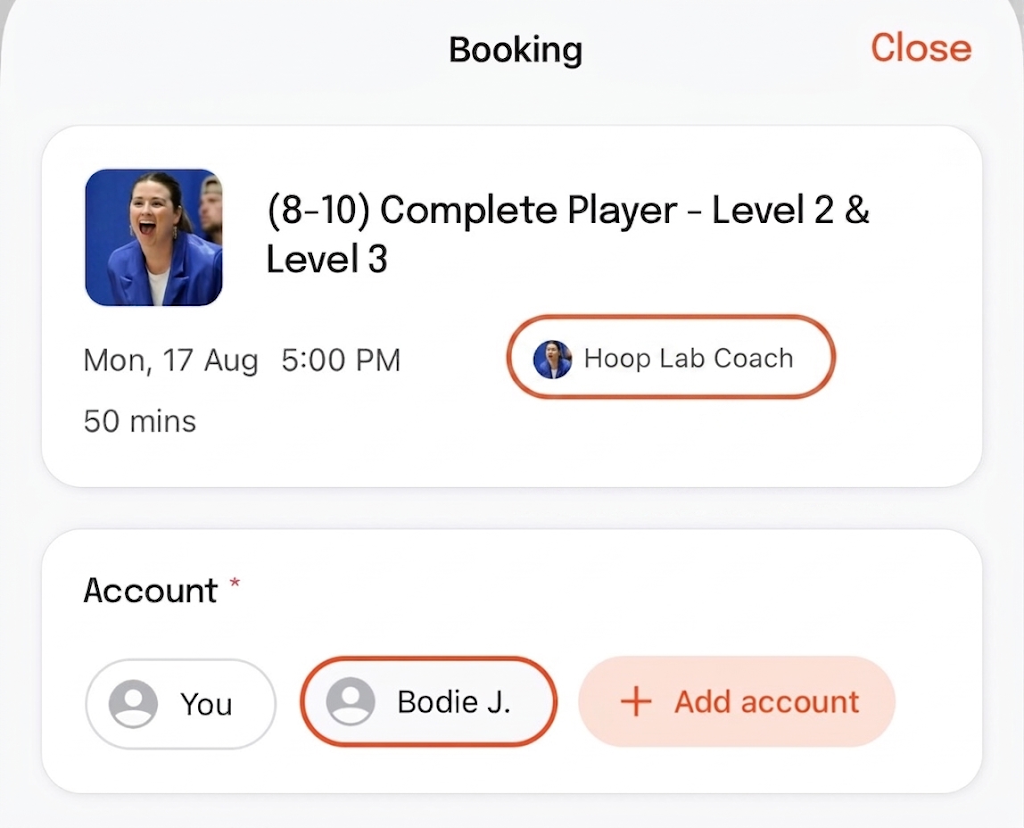
#1: Make sure you're attempting to book the class for your child, not for yourself.
When you're booking the class, you see there's an option to select under Account either you or your child. Make sure you're selecting the child account (not "You"). See example screenshot.
#2: Check that the class you're attempting to book is something that child is eligible for based on both age & level.
Still having trouble? Se